Long videos in.
Short vertical clips out.
Paste a link. Pick how many clips. Come back to finished vertical clips with captions.
Pay once. Own it.
No subscription. No credits.
- Price
- $39.99, one time
- Clips
- Unlimited, no watermark
- Input
- A link or your own file
- Output
- 9:16 · 1:1 · 16:9, 1080p
- Platform
- macOS 15+ (Apple Silicon) · Windows 10/11
- Download
- Under 500 MB, nothing else to install
Everyone else rents you your own clips.
| Tool | Per month | Over a year | And you're capped at |
|---|---|---|---|
| Opus Clip, Starter | $15 | $180 | 150 minutes of footage a month. Credits expire in 60 days. |
| Opus Clip, Pro | $29 | $348 | 300 minutes a month. |
| Submagic, Starter | $19 | $228 | 15 videos a month, 2 minutes each. |
| Submagic, Pro | $39 | $468 | 40 videos a month. Clipping is a $19 add-on. |
| Crayo, Clipper | $27 | $324 | 10 hours of export a month, 1,000 videos. |
| PrismSnips | $39.99 once | $0 | Nothing. It's an app. It's yours. |
$39.99 once is less than three months of the cheapest plan here.
Monthly prices from their own pages, September and October 2026. The cheaper numbers want a year up front.
Connect Claude once. That's the setup.
Claude reads your transcript and picks the moments worth clipping. You plug in your own Claude API key, so you pay Anthropic for what you use, at cost, instead of paying anyone every month.
- 01
Make a key
At console.anthropic.com, create an API key and add a few dollars of credit.
- 02
Paste it into PrismSnips
The app tests it on the spot. It's saved on your computer and only ever sent to Anthropic.
- 03
Clip
Every run shows what it will cost before it starts, and what it did cost after.
Paste a link, or drop a file
YouTube, Twitch, Kick, or an MP4 you already have. Then choose how many clips you want out of it.
takes about 3 minutes.
It hunts the moments
It scores the whole transcript, the audio spikes and the chat, keeps only the moments with a hook and a payoff, and starts each clip on the line that stops a scroller.
It reads the whole thing
before it cuts.
It frames, captions and brands
Face tracking holds whoever is talking, through every camera cut. Captions burn in word by word, your style, your colour. Your hook either sits in a clean banner up top or in the big outlined look Shorts clippers use, and your handle goes on every clip.
It stacks them instead
of cropping one out.
Fix anything, free
Rewrite the hook, nudge the start, change the captions or the shape. Rebuilds in seconds, costs nothing.
in My Clips.
When they name
something, you see it.
Podcast clips live and die on the face. But when someone says open space, or a dark bedroom, or the gym every morning, two seconds of footage says it faster than they can. PrismSnips finds those moments and cuts to them.
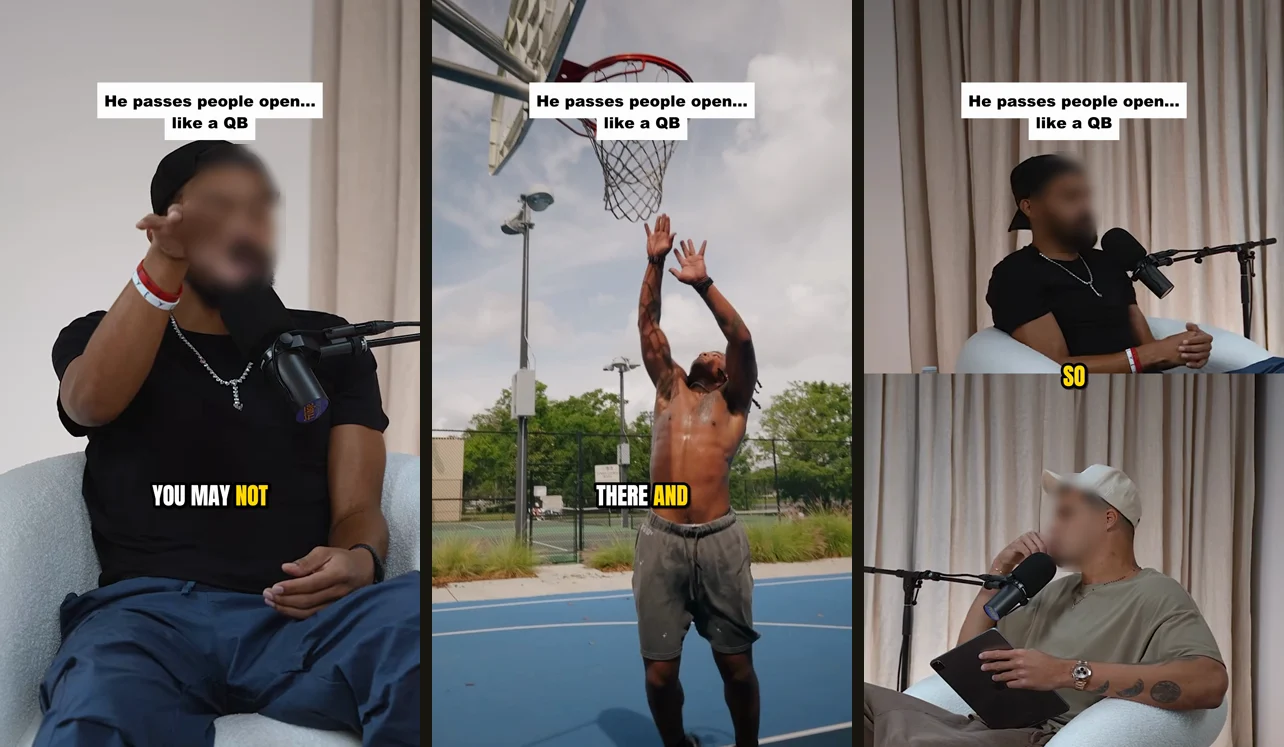
Most clips get none
It refuses named people, real events and anything abstract. Stock footage of a player is not that player, and viewers clock it instantly.
It looks before it uses
Every piece of footage is checked against the exact words it will sit under, cropped to the shape your clip is in. If it doesn't clearly match, it doesn't go in.
Or pick it yourself
Every option it found is kept, including the ones it turned down and why. Open the clip, look through them, click the one you want.
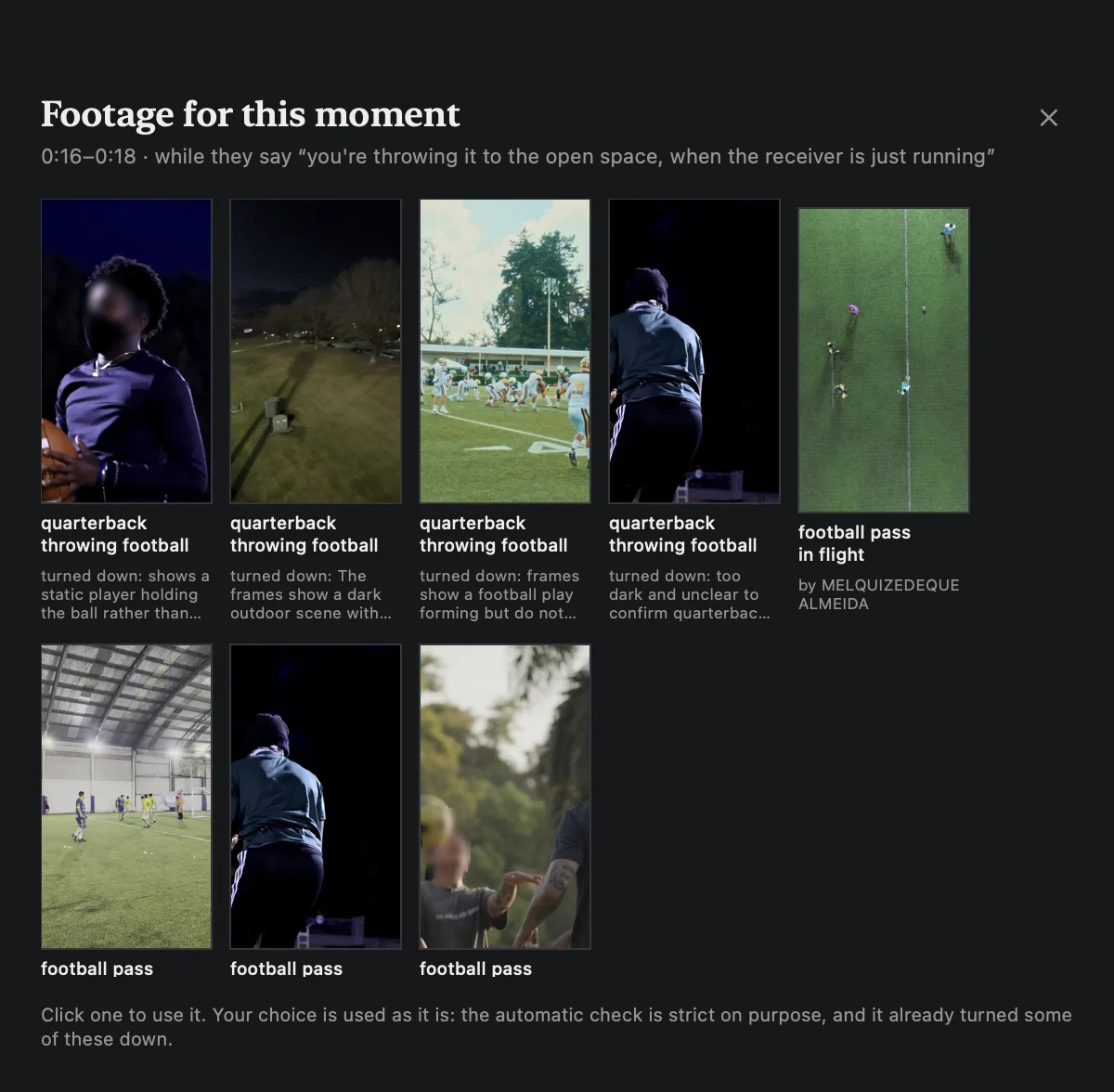
Footage comes from Pexels, which is free and needs no card, or from a folder of your own clips. Cutaways are off until you turn them on, and add a few cents a run.
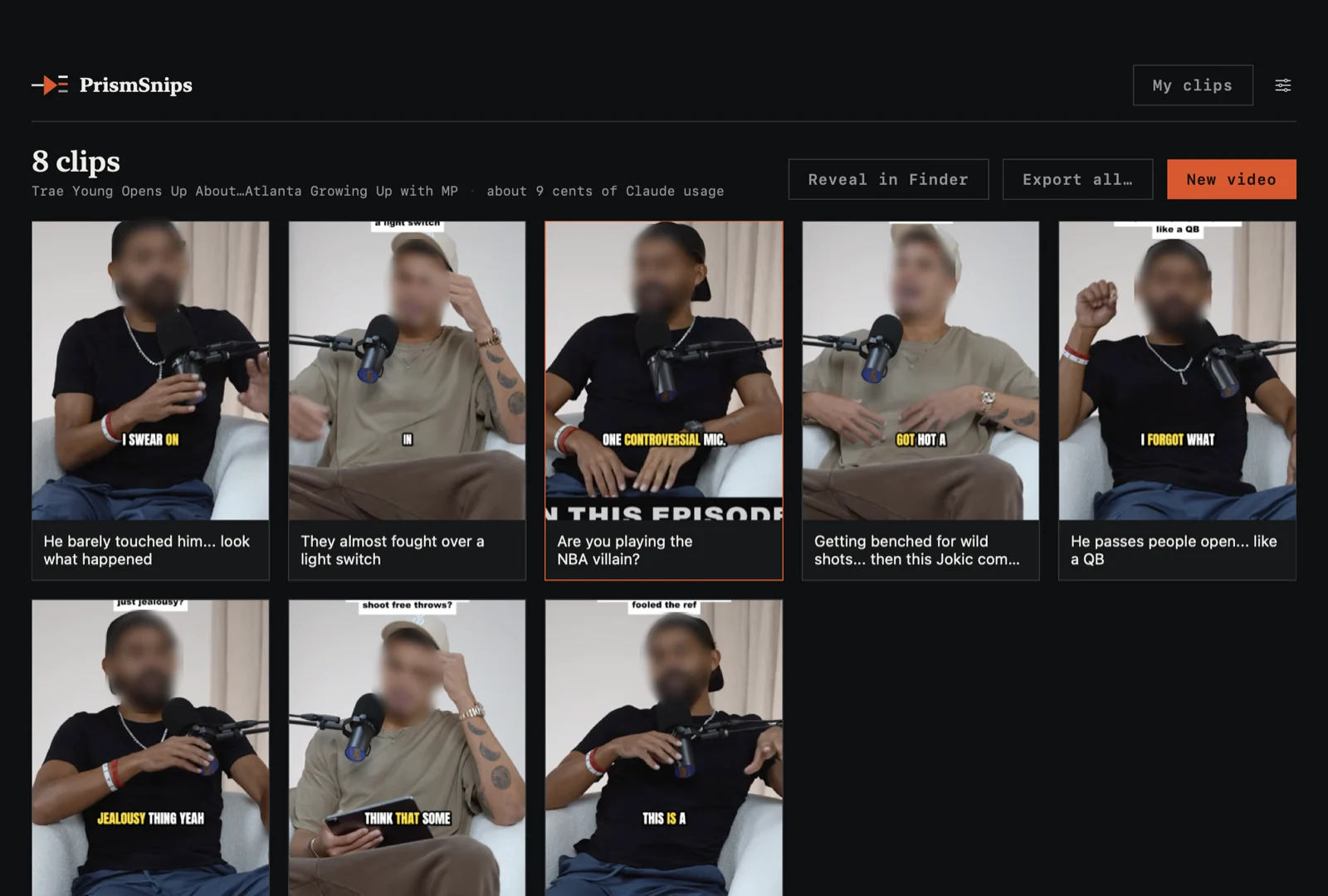
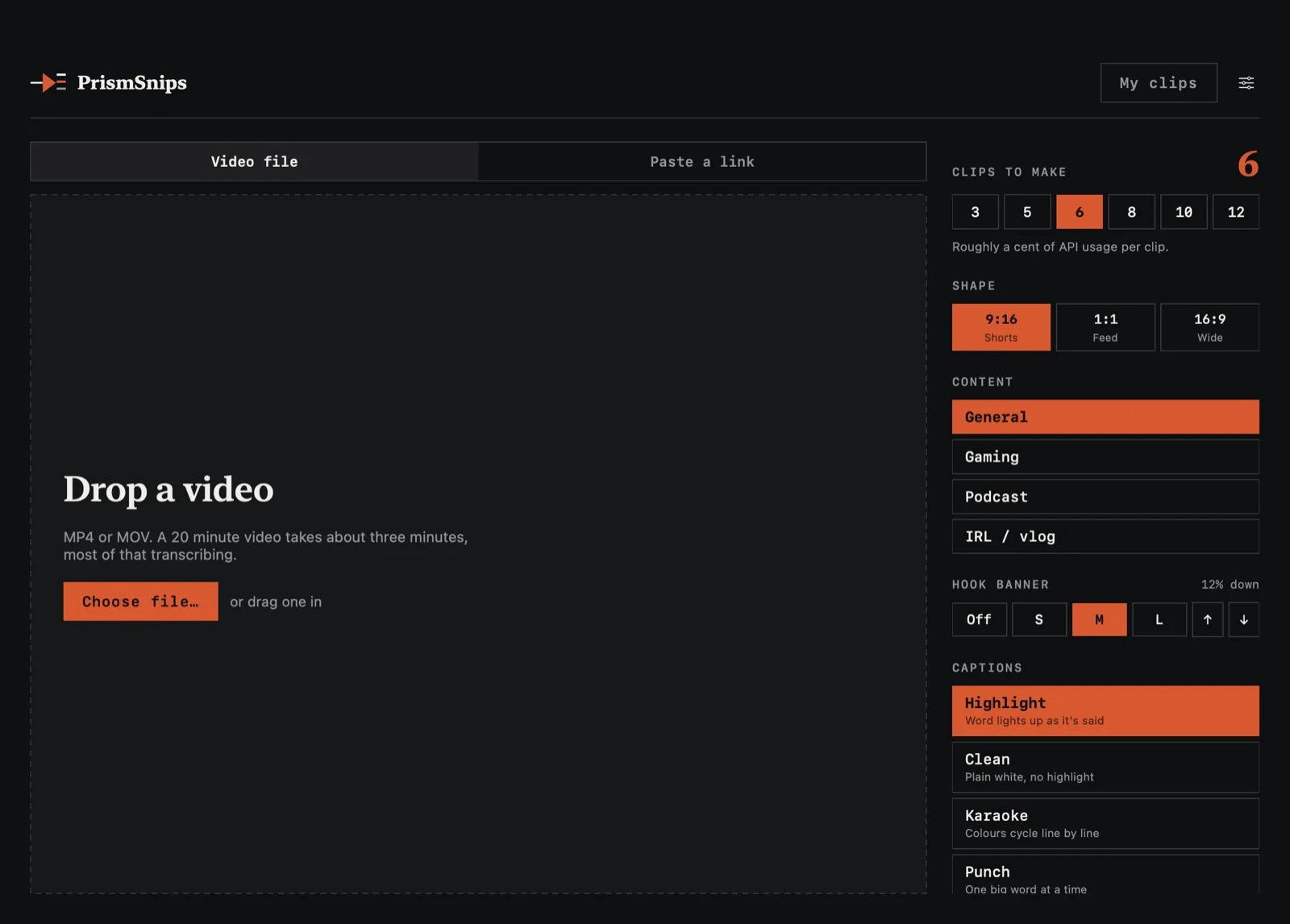
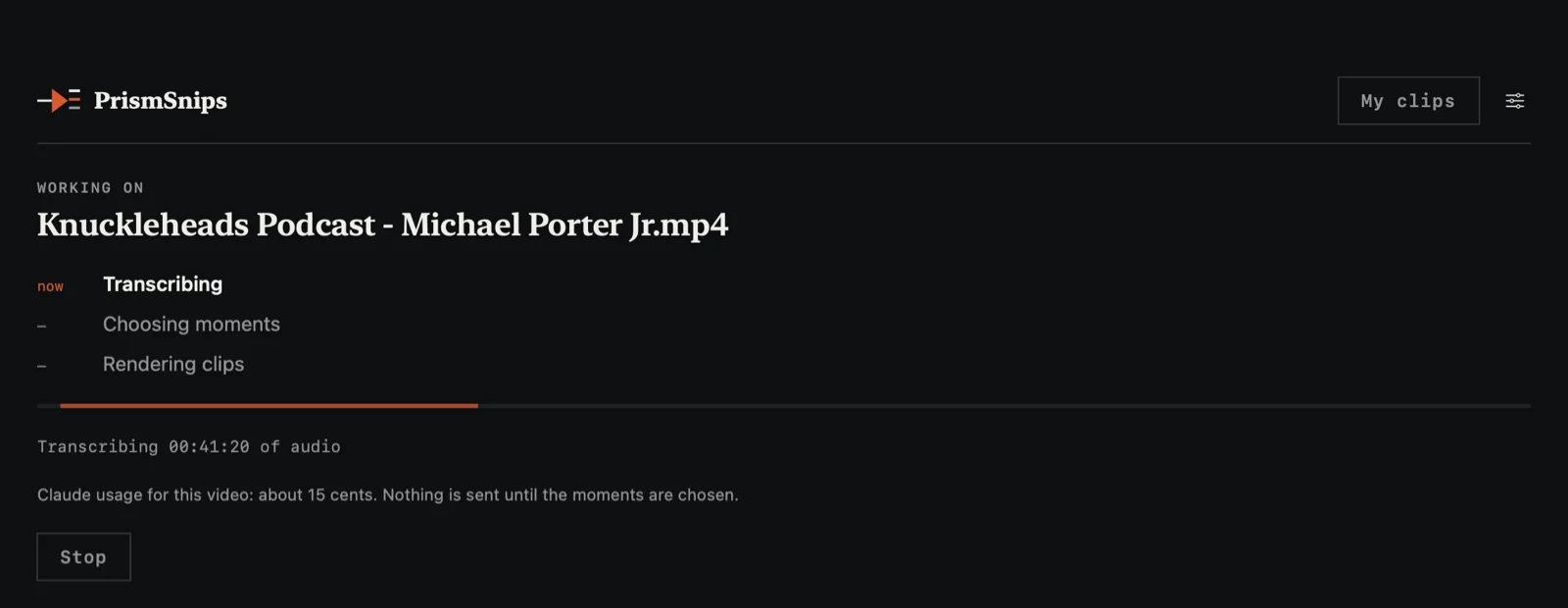
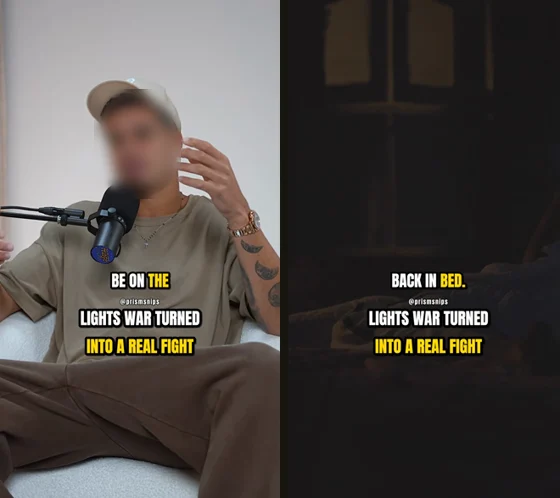
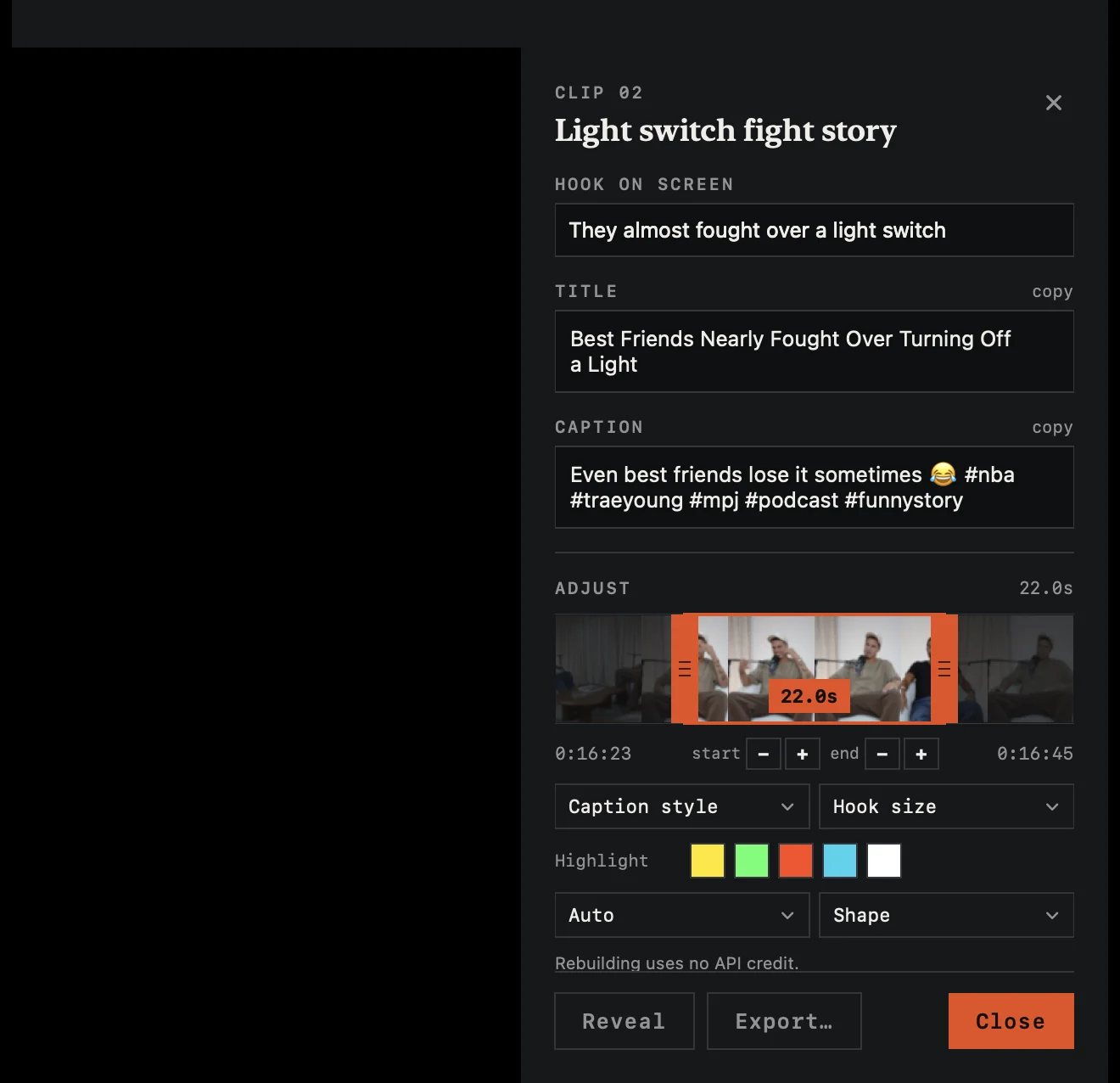
Faces in these clips are blurred here because the podcast isn't mine. The app doesn't blur anything.
Buy it, download it, keep it. The only thing you pay again is your own AI usage, about 5 cents a clip.
Apple Silicon Mac (macOS 15+) or Windows 10/11 PC.
All sales are final. Not sure it fits? Email me before you buy and I'll tell you
straight.
Included
- Unlimited clips, no watermark
- Links and your own files
- 9:16, 1:1 and 16:9 at 1080p
- Face tracking and auto framing
- Four caption styles, your colour
- Free re-cuts, forever
- A title and caption for every clip
- Support from the guy who built it
My first clip with it passed 100,000 views in 24 hours.
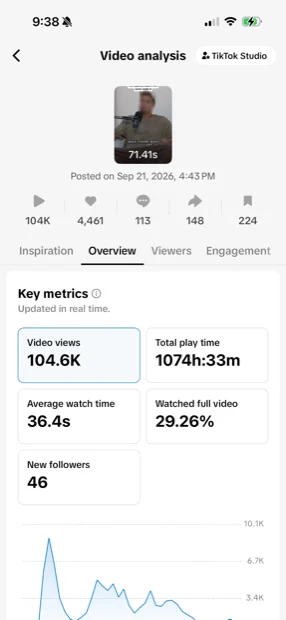
I went looking for a clipping campaign to earn from. Every tool that could cut the clips wanted a subscription, then still counted my credits. So I built this.
That's one clip, and it's mine — no tool makes anything go viral. What this does is take the hours of cutting, framing and captioning out of your week.
Why my own Claude key?
So this can be one payment instead of a monthly one. You pay for what you use, at cost. Setup takes two minutes and the app tests your key for you.
What does a video cost to run?
About 5 cents a clip, so roughly 30 cents for six. The app shows the estimate before it starts and the real figure after.
Is it really unlimited?
Yes. No credits, no clip count, no watermark. The only limit is how fast your computer renders.
Does my video get uploaded?
No. Video and transcription stay on your computer. Only the transcript text goes out, and only to pick the moments.
Windows? Intel Mac?
Windows 10 or 11, 64-bit: yes. It transcribes on your graphics card when you have one (any recent NVIDIA, AMD or Intel), and on the processor when you don't, which is slower. Intel Macs: not yet — transcription leans on Apple Silicon. Email me and I'll put you on the list.
What if a clip isn't right?
Open it and fix it: the hook, the start, the captions, the shape. Rebuilds in seconds, costs nothing.
Stop renting your own clips.
One payment. Unlimited clips. Yours.